

You look at your delivery menu and see items with no photo, dark photos, or pictures snapped any which way on the counter. With no photographer in the budget, AI food photos look like an easy way out. But a doubt comes up: is this allowed? Won't it look like deception?
This article answers with a simple rule: real photo first, AI only as a reinforcement and always faithful to the product. You will see when to use it, where it should appear, and where the line sits between improving and misleading.
Key takeaways
- The real photo comes first: if it is excellent, you don't need AI.
- AI comes in as a reinforcement when the photo lacks quality or there is no photographer, always faithful to the product.
- Preferably use it only on the online menu; Instagram stays with real content.
- Misleading means showing something different from what the customer will receive; photo and description must say the same thing.
- An item without a photo should not stay empty: take the best photo you can with your phone and edit it with AI.
Why does the photo matter so much in delivery?
Because customers can't see or smell the product: they decide by looking at a screen, and the image is the first decision filter. Before reading the description or the price, people have already sensed whether it looks good.
There is also a point many people forget: the desire created on social media has to carry over into the online menu. If a customer arrives from Instagram excited and finds weak photos or items with no image, the craving cools off. A good product has to look good, especially where the order is closed. The photo is only one part of this; in the guide to online menu adjustments that make ordering easier you can see the rest of the path to the final click.
When should you use AI food photos?
Use AI only when the real photo lacks quality or when there is no photographer or shoot available. The order of priority is this:
- A real photo whenever one exists. If it is excellent, there is no reason to replace it with a generated one.
- AI as a reinforcement, when the real photo isn't up to standard and you can't capture a better one.
- Fidelity above all. The edited image must be faithful to the original product and must not look artificial.
AI does not replace your product. It helps when you lack the resources to show it well.
Google talks about content for search, but the logic fits the menu: the Google Search Central guidance on generative AI content (the page is in Portuguese) asks for accurate, useful, quality material, and treats mass-generating pages without value as a violation of its spam policies. AI works when it delivers something faithful and useful, not when it just fills the screen.
What can AI do for your menu?
It can improve the image you already have, as long as the product stays the same. When the real photo isn't up to standard, AI can:
- improve the existing image and its lighting;
- swap the background, removing the messy kitchen behind the dish;
- generate new photos of the product.
Color, brightness, lighting, and retouching are all fair game, as long as the photo stays faithful. It's the logic of any edit: enhance what exists, don't create what doesn't.
Where to use AI: on the menu or on Instagram?
Preferably only on the menu; on Instagram, avoid it. Your profile should keep showing real content of the product, because that is where customers see the day-to-day of your business.
If you are still building that storefront, see how to set up your name, bio, and link on a delivery Instagram profile. And if you run a pizzeria, the order of categories in a pizzeria's online menu helps you decide which photos appear first on the screen.
What to do with an item that still has no photo?
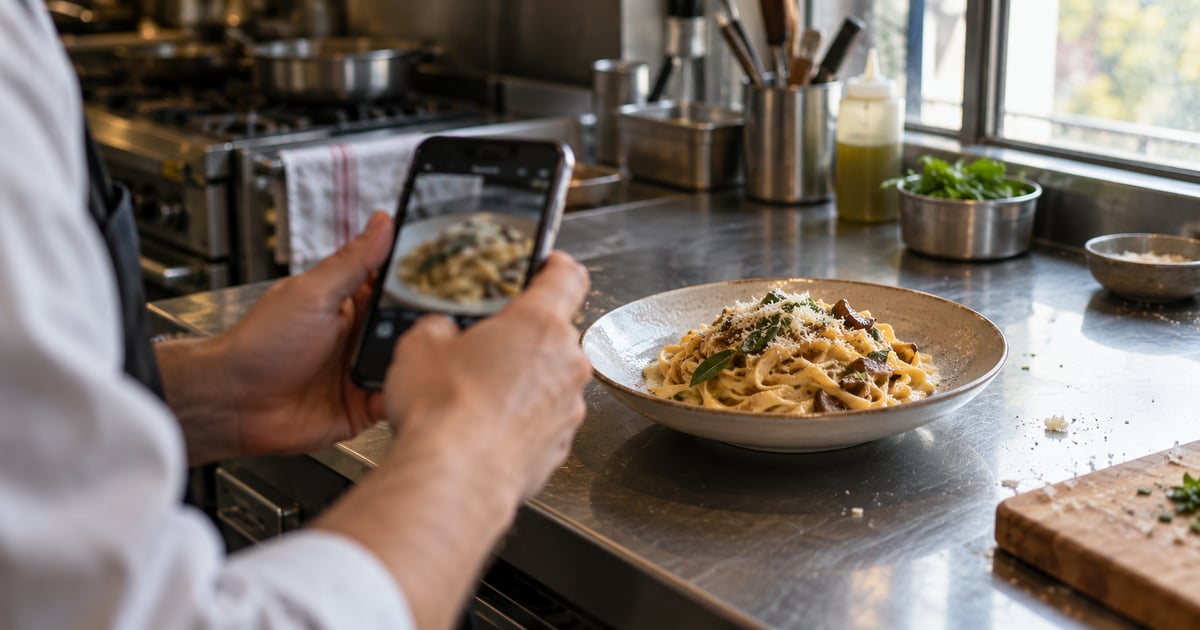
Don't leave the item without an image: take the best photo you can with your phone and edit that photo with AI. A real base makes all the difference, because AI steps in to improve what you captured, not to invent a dish from scratch.
For the base photo, use a good-quality phone and shoot the finished product, just as it goes out to the customer:
- look for a well-lit spot instead of the yellowish light of the kitchen;
- keep the background clean and simple;
- repeat the shoot periodically, to refresh the menu and cover new items;
- if possible, hire a professional from time to time.
After adjusting the menu, review the other places where your delivery shows up, such as your Google Business Profile for delivery.
Where is the line between improving and misleading?
Improving means working on color, brightness, lighting, and retouching while keeping the product recognizable; misleading means showing a product different from what the customer will receive. Two clear examples:
- items that don't come with the order, such as a side or an ingredient that appears in the photo but isn't included;
- implied size, when the image makes the product look bigger than it is.
A practical test: if the customer opens the package and feels they received something else, you crossed the line. Brazil's Consumer Defense Code (a Brazilian law) prohibits misleading advertising (art. 37), including advertising that leads consumers into error about the characteristics of a product.
Photo and description say the same thing
The description supports what the image shows. If the photo shows a burger with bacon, the description mentions the bacon and the order includes the bacon. If the bacon is an add-on, that must be clear on the item. Before publishing, read the description next to the image and confirm that every visible element is in the order.
Common mistakes
- Replacing a good real photo with a generated one.
- Using AI on Instagram, instead of keeping the profile with real content.
- An image that looks artificial. If it looks like plastic, customers notice and grow suspicious.
- Showing what doesn't come with the order or inflating the size of the product.
- A description that says one thing while the photo shows another.
- Leaving items without a photo because you don't know where to start.
What to do first
- List the items with no photo and those with a weak photo.
- Keep the real photo where it is already good; for the rest, take the best photo you can with your phone.
- Edit with AI only to improve lighting, background, and finish, without changing the product.
- Check that photo and description say exactly the same thing.
- As a checklist goal, have a photo on at least 80% of your items.
Artificial intelligence can be a good ally for those without a photographer, but it only works in your favor when it respects the product the customer will actually receive. An honest menu helps bring in more customers and bring them back, with your delivery growing. If you want support organizing the menu, social media, and ads for your delivery, talk to Idea Digital Marketing.
Frequently asked questions
Can AI be used on delivery food photos?
Yes, as long as the image is faithful to the product and doesn't look artificial. The rule is real photo first and AI as a reinforcement, when the real photo lacks quality or there is no photographer or shoot available.
Should AI-made photos also go on Instagram?
Ideally, avoid it. AI stays preferably on the online menu only, and Instagram keeps real content of the product, because that is where customers see the day-to-day of your business.
What can AI change in a photo of a dish?
Color, brightness, lighting, and retouching are all fair game, as well as swapping the background and generating new photos of the product. The limit is keeping the photo faithful to what the customer will receive.
When does a food photo become misleading advertising?
When it shows a product different from what the customer will receive, such as items that don't come with the order or implied size. Brazil's Consumer Defense Code prohibits misleading advertising (art. 37), including advertising that leads consumers into error about the characteristics of a product.
What should I do with an item that has no photo at all?
Don't leave the item without an image. Take the best photo you can with your phone, in good lighting, and edit that photo with AI to improve the result.
How many menu items need a photo?
As a checklist goal, have a photo on at least 80% of your menu items. Start with the items that have no photo and those with a weak one.
Want to know where your delivery business can grow?
Tell us a little about your operation. Idea analyzes your situation and talks with you about a realistic priority.
Analyze my delivery business